RTP180
Accessibility | August 2022
8/23/2022 | 1h 8m 45sVideo has Closed Captions
This RTP180 is all about being inclusive and equitable through Accessibility.
Accessibility is defined as being usable, reachable and obtainable. At this RTP180 event, we are looking at systems using an accessibility lens and discussing how different communities experience the many facets of our world. Our speakers will share on digital inclusion, access to art, equity in education and more.
Problems playing video? | Closed Captioning Feedback
Problems playing video? | Closed Captioning Feedback
RTP180 is a local public television program presented by PBS NC
RTP180
Accessibility | August 2022
8/23/2022 | 1h 8m 45sVideo has Closed Captions
Accessibility is defined as being usable, reachable and obtainable. At this RTP180 event, we are looking at systems using an accessibility lens and discussing how different communities experience the many facets of our world. Our speakers will share on digital inclusion, access to art, equity in education and more.
Problems playing video? | Closed Captioning Feedback
How to Watch RTP180
RTP180 is available to stream on pbs.org and the free PBS App, available on iPhone, Apple TV, Android TV, Android smartphones, Amazon Fire TV, Amazon Fire Tablet, Roku, Samsung Smart TV, and Vizio.
Providing Support for PBS.org
Learn Moreabout PBS online sponsorshipWe stand on the threshold of a great new age of exploration.
It's ultimate destination, the furthest reaches of the universe.
- [Speaker] Three, two, one.
[upbeat synth music] ♪ - Good evening RTP and welcome to the frontier on the campus of beautiful Research Triangle Park, North Carolina for RTP 180.
That was an acceptable smattering of light applause.
I appreciate each and every one of you.
Now, RTP 180 is presented by our friends at RTI International.
Want to give a shout to them, that's me, I'm Wade.
I look a lot like that, except five years older or so.
I need a new headshot, but I'll be your MC for this event.
Once again, RTI INternational makes this all possible.
Let's give it up for RTI International.
That's a slightly louder smattering of applause than I got, but I'm not jealous.
All right, so for those of you who have not been here before, or those of you here for the very first time, we're gonna have five speakers up here on the subject of accessibility.
They'll give you their expertise for five minutes of talking.
at the end of that five minutes, there will be five minutes of Q and A from you, our audience.
Remember teamwork makes the dream work.
Now, if you'd like to connect with us socially during the show, first off, I'm married.
Second of all, you can tweet at us at frontierrtp.
You can use the #RTP180, get your questions on social media.
They may be provided during the Q and A portion.
Now, normally, if you're in here, you'll be seeing the region's only free co-working space.
That's right, if you're here in the heart of RTP during the working day, be sure to stop by the frontier post up, grab a table, grab a meeting.
You can also rent space in here.
Find out more information at the Frontier website.
We also have social events, including meditation is back on the menu.
That's right, Wednesdays noon to 12:30 PM over at the hammocks.
You can unplug for half an hour, enjoy the North Carolina humidity and meditate a little bit.
It's fun for everybody.
We also host the On The Menu lunchtime talk series.
Our next one's coming up September 12th, noon to 1:00 PM.
The subject will be automate, eliminate and delegate 'cause all of our lunch and learns rhyme.
Now our subject tonight is accessibility.
And if you, our audience, ask a question during the Q and A period, we're sending you home with a Frontier pint glass.
Everybody say, ooh, everybody say, ah, everybody give your MC $20.
It didn't work.
All right, but now's time to move on to our first speaker of the evening.
She's a senior technical writer at Dutchie with a masters in technical communication from NC State, please welcome, our first speaker, Des Livermon.
[clapping] - Hi I'm Des and the first thing that people learn about me is that I have a bunch of cats.
So I'm gonna pay the cat tax for you.
This is my cat Gimlet.
There are six more.
Other than being a crazy cat person, I am the senior technical writer at a software company called Dutchie.
If you know anything about the song "Pass the Dutchie," you know what my company does.
And a lot of people aren't quite sure what a technical writer actually does.
We wear a lot of different hats, but my main job is to write product documentation.
So I explain how software works and I write user instructions.
Accessibility and software is super important because most people use some sort of software every single day.
But when I talk about accessibility, I'm mostly focusing on web accessibility.
And so I look at things like color contrast and navigability, but also things like image, images and videos, content structure, and language and I try to make them as accessible as possible.
So how does web accessibility help people without disabilities?
It's the same way that accessible physical spaces help everyone.
So we all know that ramps are there to help people that cannot navigate steps, but I'm sure we've all used a ramp before.
I know after a long run, I do not want to even look at stairs and so I use a ramp whenever they're available and I'm sure a lot of us have pushed that automatic door button when our hands are full and we can't pull it open.
And so these are examples of physical spaces where accessibility helps people that don't have disabilities.
So what does this have to do with software?
The same ideas can be applied.
So a few years ago I hurt my wrist and I couldn't use a mouse without having a significant amount of pain and so I had to try to navigate websites using the keyboard.
And I was very happy when I was able to use accessible websites to be able to do that.
That injury was a temporary disability, but accessible websites allowed me to continue to do my job, but that's my job.
So think about the software that you use every day.
So like me, I use Facebook and Twitter and Instagram every day, but do we think about how those sites are accessible or even if they're accessible and the answer is probably not unless we need to, right.
So I'm gonna give you two kind of silly but meaningful examples of how accessibility on those sites will help people without disabilities.
So I already told you that I like cats a whole lot and there's this thing on Twitter where people will post pictures.
And the thing will say, there's no cat in this picture, but there is a cat in that picture and you have to find it.
And sometimes it's really hard to do that, but Twitter has recently added alt text to their images.
So you can just read the alt text and you will be able to find the cheat code of where the hidden cats are.
For a long time, Twitter's alt text could only be read by screen readers and since they've changed that, I have found all the hidden cats and I am very happy about that.
There's also, anybody use TikTok?
I'm an elder millennial, so I still use TikTok, but TikTok is kind of similar.
So I like to scroll through TikTok a lot.
And for a long time there weren't automatic captions and people didn't like to put them on their own videos because it took a lot of time and it was kind of a pain, but that made the app really difficult for deaf and hard of hearing people to use it.
But it also made it difficult for me to use it.
There are times when I'm in a very noisy environment and I can't hear the audio or I'm in a very quiet environment and I don't have headphones and nobody wants to hear those six videos in a row of like tips to how to clean your garbage disposal.
And so my hearing is fine, but having captions automatically on those videos allows me to still consume that content that I would have scrolled past if there were no captions there.
So those are the things that, you know, I do in my daily life, but in my job as a writer, I also have to think about those people with invisible disabilities.
So I think of documentation the same way I think about recipes, you know, I just want the information that I need to know and that's it.
And so we've all tried to look up our recipe online and had to scroll through a whole bunch of pictures and a whole bunch of text just to find out if we even have the ingredients in our pantry.
And so, like does learning about the history of that recipe and how you came up with it make it more interesting?
It could, but if I get distracted before I get to the recipe and I forget about it, I'm never gonna make it and how does that help anybody?
So everyone says that nobody reads documentation and that is not true.
I know it, people read the documentation, but we all know someone that just prefers to, you know, throw the documentation away and like I'm gonna figure it out myself because I'm super smart.
But if somebody does want to read instructions that I have written, I don't want them to have to scroll and struggle to find the information that they're looking for, because if they do that and then they lose interest, they will stop throw, it all away instead, and then not use the product that I'm writing for and that doesn't help anybody.
So in my job, shorter topics help people with that struggle with attention but also people that have trouble processing large blocks of text, but shorter topics also help people like me who just want to get to the point and I just wanna know how to set up my account and I don't need any extra information than that.
So the next time that you're using a new app or looking at a new website, try to think about the simple things that you know, the creators have done to make it more accessible, but have also made it easier for everyone else to use.
And finally, I want to just leave you with three reminders.
Not all disabilities are visible and that's very important to remember.
You can move into the disabled space at any time.
And most importantly, if you make the world more accessible, you make it better for everyone.
[clapping] - Great stuff there.
Now it's time to get your questions about web accessibility.
Were you waving or did you have a question?
- [Speaker] This is the way that people who are deaf.
- Excellent, I did not know.
Oh, you're applauding.
Excellent, I did not know that, thank you.
But I believe someone behind you has a question.
There we go.
- I would love to hear you talk about like alt text best practices 'cause I actually, I don't know.
- Alt text about what?
- Alt text like best practices.
- Okay so alt text best practices have changed a little bit.
So it used to be that you should only use about a hundred characters when you're writing alt text because screen readers would stop reading them.
That's not true anymore, but still short and simple is usually the best.
If your image is too complicated, then maybe you should be finding a different way to explain it.
So short, and you know, there are like things for like technical writers.
So like you don't say like, this is an image of blah, blah, blah, or things like that.
You don't want to just say any text that is in the image itself unless it's very important, but usually it's just short and sweet.
Describe what that is.
So for the picture of my cat, I would have done cute orange cat in a round basket kind of thing.
- Great question all right.
We've got, oh, lots of hands going up.
I'll just kind of work my way front to back here all right.
All right next question coming up right here.
- I was wondering what percentage of websites that are out there would you say are accessible websites?
And the second part of that question is, are as far as they're being intentional as when companies are making websites now, what percentage of companies do you think that are out there are intentionally making accessible websites?
- So for the first part about the percentage of accessible websites, you know, I'm not really sure.
This isn't, you know, an area, my sole job is to be a documentarian, but you know, I focus on accessibility for documentation.
I have found just in my regular life that a lot of websites, you know, take in consideration the color contrast, make sure that you can navigate with your keyboard, but then that's usually where it kind of ends.
You know, they don't always put in alt text.
They don't always put in captions and things like that.
For software companies, it's becoming more and more common, although it is something that people have to advocate for a lot, unless you're working for the federal government or unless you're working in healthcare, accessibility kind of goes by the wayside to make time for other things.
And so it's people like me as a technical writer or there are some software developers that really have to make a point to make sure that our software is usable by everybody.
It's becoming more popular, but it's still, it's a big cost if you do it later and most people don't think about it at the very beginning.
And so, you know, it's not as many as I would like.
- All right other questions, raise your hand.
I'm hovering in the back here.
All right, next question.
Des, what is that Chrome extension that gives you a score?
Do you know what I'm talking about, Wave?
- I do know what you're talking about, but I'm not sure what it is.
- Okay, all right.
I was like, hoping you remember the, I think it's called Wave, but it's a great, I'm sure you can just google.
- It is, yes.
- [Speaker] Is it wave?
- Yes.
- [Speaker] Do you know it?
- I do and so it basically just will scan your site and it's just like the static page.
And so you have to do it on every single page, which doesn't make it a great tool for assessing your entire platform but if there is something that, you know, you wanna make sure that your color contrast is right, and you wanna make sure that all of your images have alt text to them, that's something that you can run and it's free from Chrome.
- All right, folks, give it up for Des Livermon.
[clapping] Now for those of you who did not get your question answered, don't fret, most if not all of our speakers, will be sticking around after the show.
We'll open the bar back up, grab some popcorn, buttonhole them, ask them your questions.
If you're scary, they'll run away so don't do that.
But now it is time to move on to our next, question, I need more coffee, our next speaker of the evening.
She's a passionate advocate for education and is a Regional Impact Manager with myFutureNC, please welcome to the stage, Angie Jenkins.
[clapping] - Good evening everyone.
It is such a pleasure to be with you today and to share a bit about my future and about myself.
I am an advocate for education and I just love kids and I love being able to help provide students with the greatest opportunities and the greatest advantages possible so they can thrive and succeed in their environments.
And so if we go onto the next slide, there's a quote that I want to frame this conversation by.
If you look at this quote, I love the way that it amplifies the fact that equity isn't a slogan.
I know that, you know, we've had a tendency to politicize equity, or it sounds kind of cool when you think about equity, but when I talk about equity and when we talk about equity at myFutureNC, equity is how we hope that the students lives will be transformed by education.
How do we do that?
By being able to provide them with opportunities to have access to the best opportunities possible, to thrive in their environment.
And if you go next, there's a graphic that you've probably seen a lot.
This graphic has been redrawn, redone many times.
And what I love about it is it absolutely provides an opportunity for us to see, okay, we have students that are individuals that obviously have some disadvantages in their lives.
And in the second picture shows, if we were to apply an equity lens to that, we are providing them with the leverages that they need to succeed.
But what I love about this particular picture, it's saying, let's go beyond that.
Who built the fence anyway?
Let's remove the fence and let's provide students with an opportunity so that they can thrive no matter what.
And I love this because it gives students the ability to feel that they can succeed in any and most environments.
If, as we look at the next slide, there's a quote, it says, that I have here.
It says, "many of today's students face barriers to equitable education."
Well, it makes me think of my life as an educator, I've encountered some amazing students.
I've seen students do some amazing things.
I've seen them, you know, go through and matriculate through high school and they go on and do, you know, have these awesome careers or many have totally exceeded my career okay.
And then you have those students that has had some bumps in the road and their path to matriculate through high school has not always been as easy quote unquote as others may have had in their own lives.
What's quite interesting here is, and what I love about, for instance, myFutureNC, our organization, we understand that students absolutely have barriers.
And one of the barriers that has been quite obvious is and all of us have experienced, has been the one imposed by COVID.
I know we're tired talking about this COVID topic, but in education COVID has really had a tremendous impact on students learning opportunities and their growth, their opportunity to thrive and grow in that environment.
And that particular challenge was placed by that digital disadvantage that they had.
I'm from a rural part of North Carolina.
And I don't know about it in this area, and I say that rhetorically, because I know you all and your students dealt with this as well, had limited access to wifi, limited access to broadband.
And so with that, many students were not able to quote unquote thrive in that environment.
And much of what we have seen is that that, the results of that can be seen in the data.
Unfortunately, North Carolina students have some barriers or some challenges that we have to help them overcome.
And unfortunately COVID did not help that, but let's think about this beyond those potential barriers that we think of, the traditional ones, you think of like social barriers that students may encounter.
What about those students that have those invisible disabilities and I like how Des pointed that out earlier, students that during this time dealt with tremendous depression.
I saw a statistic that said that, I think it was like 46% of students during that time, actually had one to two depressive episodes.
Think about this.
I also saw another statistic that had 3,500 students in North Carolina, listen to this part, experienced loss of a parent or a guardian.
How do we support those students?
How do we best support them in their learning environment?
One of the things that I want to point out as we go onto the next slide is, myFutureNC, we've been fortunate enough to have this mission, to ensure that all students have access to a quality education.
We've been able to help leverage that in our local communities.
And we are doing that by empowering those that are in position to help students that need it most.
Essentially, we're helping to promote and encourage champions within local communities.
We can go onto the next slide.
MyfutureNC is a non-profit organization that's focused on educational attainment.
We're focused on closing those educational gaps.
And I wanna show you some things here.
This is some recent data that has been captured on myFutureNC, we track 18 key performance indicators, and it pretty much says, how are students doing?
How are students learning?
Are students thriving in their environment?
And if you see here, there are four major indicators that we look at is academic readiness, college and career access, post-secondary completion and label market alignment.
And as you can see with the green check, there's some areas where we're trending upward, right?
But then there are also some areas where we're trending downward.
When we look at readiness and completion and career and college access.
If you go to the next slide.
I want to drill down here.
This shows demographically, the students that were impacted the most, particularly during this, during this time during COVID.
So this is the most recent data that we have.
If you look in the center of this graphic, you'll see that in the red, the students that experienced the greatest disadvantage, were those are in the Hispanic, Black, and American Indian populations.
That downline of their learning and their growth has not only happened in the academic readiness column, but look at the college and career access as well okay.
If you go to the next slide, one of the things that the data has also shown us is that through this season and through that time, that 9.5, well, first I'm gonna show you, 16,000 kids in 2021 did not graduate high school on time.
9.5 kids on average drop out every year.
Why are they dropping out?
What are the barriers that they're dealing with that's keeping them from matriculating through high school?
53% of those were Black and Hispanic students.
We go onto the next slide.
I wanna ask you with the fact that I've thrown all this data at you today after five, what could this mean for you?
What could this mean for you as we're sitting here in this room?
I wanna propose a few things for you.
If you go to the next slide, I wanna propose that it causes you to wanna get engaged.
So how can you become engaged?
You could become engaged by just simply finding the opportunities to volunteer in our local schools and because of where you are and where you are and experiences that you have, there are many students who would be very appreciative of having mentors or having the opportunities to intern or having those opportunities to have you even sit on student advisory boards.
And so I want to just encourage you, at any point possible, if you can be a champion for children through your volunteerism, please choose to volunteer.
And in my close, I wanna read a quote to you.
If I could find it here.
And it is about an amazing educational advocate and is a pretty powerful quote.
And she's known for equity.
And the quote is, I cannot find my quote.
We can edit that part out and as we're streaming live, through my 100 slides, here we are.
Rita Pearson, she said, "every child deserves a champion, an adult who would never give up on them, who understands the power of connection and insist that they become the best that they could possibly be."
Thank you.
[clapping] - Let's hear for Angie Jenkins.
Now your time to ask questions about accessibility in education.
Raise your hand.
You'll get your question answered.
You realize this isn't TV and I can see you, right?
We're all on the same page there, that's good.
All right, I have a question there.
- Sure.
- Judging all of you.
I have a question.
So from the perspective of an educator in the public school system, what are things that they can do on their own outside of the administration, outside of the curriculum, to make things more accessible for the entirety of their student population?
- That is a great question.
And there's so many different ways, you know, it starts with just being a champion for children.
And when you're a champion for children, you are aware of their individual needs.
And so realizing that, and like that larger graphic that was shown, every child is not equal.
Every child is different.
And so when you understand the different individual needs of children and then you can step forward and meet those needs.
And so that could be in the way of some of the things that I proposed at the end, you know, providing that sense of mentorship or if you're seeing a student struggling, you may not know that they may have a vision problem, but you see them struggling with reading.
Taking the time to ask the questions, taking the time to look at the data, taking those times to have those deeper conversations and you may find out, hey, the student needs glasses.
And so it's just those personal touches that you take with individual students that make educators amazing to me.
And so we're doing it all the time.
Sometimes we're going to games when, you know, students don't ask you, you know, hey, can you come to my game or recital or whatever it may be.
And so it's just being the champion, because what I realize is a lot of students don't have champions and that's the reality about it.
- As the child of a public school teacher, completely agree with that.
All right, we do have a question right up here front.
- As I was driving to somewhere today, I was listening to the radio and they mentioned that we are missing a whole lot of teachers In North Carolina right now and we have huge numbers of teacher vacancies.
And it seems like that's the biggest problem in many ways, both in getting competent teachers and getting teachers who are going to be role models for students and mentors for students.
- Absolutely.
- How do we approach that and also ensure that we make sure that we're thinking in terms of accessibility so that all different, you know, people, so that teachers who have disabilities may be also in the school systems, and maybe do you have some thoughts on maybe the public school system sucks?
- I would definitely say the public school system does not suck.
I am a public school educator by trade.
I'm a proponent for public education.
I'm a proponent of education period.
You ask some really great questions and, you know, I tend to, when I look at education, I tend to see there's opportunities for districts to really be creative.
You have to be creative when you're recruiting for teachers.
And my particular area is career and technical education, and so when we're talking about, you know, providing opportunities for students as around like career growth, career potential, we recruit folks from industry to be in our classrooms because you know what great, what better opportunity can a student learn than from someone who's a practitioner?
And so there are multiple ways that we can begin to really think creatively and how we can make that happen.
Even from a, like a community college standpoint, for instance, like high school students, they've even taken time where they've had community college instructors to adjunct in a, for example, in a high school.
Some districts will recruit internationally.
And so there are multiple ways, but one of the biggest thing is, and this is Angie's opinion, okay, is that our education programs, we have to present education in a way that shows that, hey, this is a career that is really meaningful.
It's not just a career that you can go into for money, but we want and we need all types of teachers right.
I don't know if I've ever seen districts advertising.
This is from my limited knowledge of, you know, seeing advertisements.
But I don't know if I've ever seen a creative marketing campaign that opens it, when you said this is open for all, if it really means all, or the school's of education will open it for all, does it really mean all?
And so if we could, you know, have that message communicated, I think that's where we'll see potentially more people interested and you know, of course you can increase this salary.
That will help a lot too so yeah.
- All right, give it for Angie Jenkins.
[clapping] Some great stuff on a different type of accessibility, courtesy of Angie Jenkins there.
I think it'll stay.
I hope so otherwise they're taking it outta my salary.
I don't get paid for this.
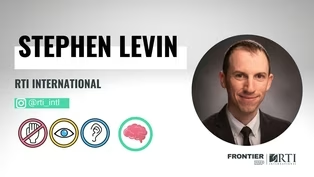
All right, ladies and gentlemen, please welcome to the stage, our next speaker of the evening, user experience designer, researcher and strategist at RTI International, please give a big welcome to Stephen Levin.
[applause] - Perfect, oh, thanks everyone for letting me speak today.
I'll be talking about accessibility versus usability and why accessibility is not enough for your users.
Quick visual description.
I'm a mid thirties, white guy with slightly balding and wearing a cotton shirt.
As Wade said, I'm a user experience researcher, designer and strategist at RTI International, also the co-chair of RTIs Accessibility Employees Resource group.
I'm also dyslexic.
So let's give some definitions.
When we talk about accessibility, we're talking about, does your users have access to everything they need to engage and complete the goals that they're trying to accomplish?
While usability deals with how easy is it, how usable is a product, how easy it is for those people to get to their goal?
And this is a nuanced distinction, but when we design for accessibility, it's about removing barriers.
Can someone with a screen reader access all the information on this site?
No, let's remove those barriers.
Can this person in, that needs a wheelchair, get inside that building?
No, let's remove that barrier.
While usability is about building paths.
The cyclist can use those stairs to get to their destination, but that's not really usable for them.
So we need to create a new path, when you examine what works and how to make it better.
And you can kind of think of this in kind of a hierarchy.
You need accessibility, that's your base, but then you can make it usable and then you can make it enjoyable.
And because I only have five minutes, I'm not gonna be talking about anything enjoyable for the rest of the time here, but I will be talking about the accessibility fallacy.
And this is the fallacy that just because you've made it accessible and people are using it, that it is usable for those people that need it.
Accessibility.
Let's take this for an example, if you threw a rope off the side of a mountain, you've technically made it accessible and you may get some mountain climbers and you may get a lot of them.
Year after year, you get more and more users and maybe someone comes to you as like, hey, how about those people that can't use that rope?
Well, and then you put a sign on the bottom that says, hey, we will strap you to the back of someone climbing up and congratulations, our product is now accessible.
This mountain is now accessible, but it's not very usable.
And the worst part is, if you then polled your user base said, hey, is this usable?
They'd say, heck yeah, that guy's having a great time.
It's enjoyable for him.
But those users that you just create a path, but didn't make it usable, they're not gonna show up.
Let's take an example that's more familiar to all of us.
Virtual meetings, if, because the pandemic we're all experiencing them and RTI was part of that and it's been a lot of benefits to the accessibility community, but as co-chair of my ERG, part of my duties is to listen to and advocate for the accessibility members of my group.
And one thing that we saw heard from our members that were deaf and hard of hearing was that they were struggling with these virtual meetings.
And so we talked with leadership and we talked with our IT department, and we now have a policy that all virtual calls originating from RTI have closed captioning enabled.
And it's been incredibly beneficial, not only for the people that have a permanent need for it, but those that have a temporary situational need for it.
Many of you may have new coworkers since the pandemic began and it's really been a great experience.
And this goes to the cut curb effect and happy to come back and explain that one but because of time, I'm just gonna end with a challenge.
My challenge to each one of you here is to look at something that's accessible in your product, in your service, in your workspace, at your home, and determine can I make this more usable?
Thank you.
[applause] - All right, now's the time to get questions about accessibility from Stephen Levin.
Please raise your hand.
I'll bring the microphone out to you and you can get your question.
Oh, and you scan the QR code.
- And for those that prefer non-verbal communication, that scans to my email, that's under it as well.
But for the ones that like verbal communication, here for questions.
- That's right, all right.
We've got one from way in the back here.
- Hi, so I'm going to ask what could companies do to make the experience more enjoyable for users?
- Enjoyable, talk to your users.
I know I gave that example, the mountain and say, but the more you talk to them, the more that you watch them experience your product, the more you experience it with them, the more you'll understand what not only works for them, but they really connect with and what they enjoy about your product.
You know, users won't talk unless you ask them and they will suffer and they will sit through real amounts of stress and pain on their own so they don't have to disturb anyone or bother anyone because they get to their goal.
And that's for them, what's important, but you can make it enjoyable by seeing, talking and observing what's stopping them and what's, what you can do to start making better.
- Great, so there are other questions about accessibility.
We've got one from a man right up here up front.
- Can you give an example for me of something that you've done recently that improved accessibility or somebody's question about accessibility or challenge for accessibility and the solution that you provided?
Doing your job?
- What would you say you do here?
Yeah.
So part of RTI, one of RTIs job is to do door to door surveying.
We have a giant survey division and the tablets that we use are set to dark mode and this is incredibly useful and accessible to the people that built it because they're under nice fluorescent lights.
It's good on the eyes for them and it's actually a great accessible feature for them.
But when you're out in the field and you're in a direct sunlight, it actually is very hard to use and very hard to read.
And they had locked that setting three settings down behind an administrative password.
And so just, it was a simple fix to say, hey, can we just allow the users to not change it from dark mode to light mode so that they could see it in the sun and that also opened up a greater conversation of well, can we also allow them to change the size of the text on the screen or allow them to focus in more, you know?
Can we make it so that some of the tablets are larger for the people that need that extra little bit or smaller for the ones that can't have it, hold as heavy of a device?
So it's, you know, observing it literally was me going out into the field with a user, seeing them struggle and then talking with them of what could make it better.
- Good stuff there, experiencing it is a key factor.
Other questions?
we did have one come in on social media, question from social media.
With the proliferation of closed captioning in online streaming videos and things like that, is there a greater recognition that this is something that is accessible to everyone and more people should do because they're seeing it in more places?
- Yes, no, it's, you know, one of the biggest barriers to accessibility is people feel like it's expensive and it's a burden.
And I hope I gave that example that it actually not only is benefit to some, but a very much larger percentage of your user base when you base an accessibility and you expand your user base and you expand the likelihood that they're gonna come back and they're gonna get more people involved.
Closed captioning used to be a lot harder to do.
It's now much more accessible and easier for you to just integrate that, but constantly looking for those.
And, you know, I would say that's good enough, the automatic ones, but, you know, I challenge you to go to the next level as well and get those real captioning because, you know, it gets maybe 80, 90%.
It improves all the time and if you have nothing else, it is the best solution.
I strongly recommend it, but it's not the ultimate experience that you can bring to your users.
- All right, folks, give it up for Stephen Levin.
[applause] All right folks we're moving now to our fourth speaker of the evening, our recent transplant to the triangle, she's been creating access to the arts for people with disabilities for over two decades, from Arts Access Incorporated, Eileen Bagnall.
[applause] - Thank you, so what's arts access and what do we do?
Here is our very fancy mission statement dedicated to creating access to the arts in North Carolina, for children and adult with disabilities.
What does that mean?
We impact the lives of people in North Carolina at the intersection of arts, education and disability.
How do we do it in the arts?
A couple of different ways.
Audio description is pretty much the program that we started with and have been doing for almost 40 years.
And what audio description is is play by play, just like in sports.
So if you are someone who have low or no vision, and you're in the theater without audio description, you hear a door open, footsteps, a drawer open, a bang and a thud.
What happened?
Mary opened the door, peeked in, saw Fred sitting in a chair sleeping, tiptoes to the desk, opens the top drawer, picks up a revolver, shoots him.
He falls out of the chair.
That's much more interesting than just hearing a bunch of sounds.
So how we do this is we have trained audio describers throughout the state that work with art museums and presenting organizations and performing organizations to make sure that their content is understandable for people with vision loss by audio describing.
So in the museums, we either do live description where you're gonna get a tour and someone's gonna describe the size of the piece of art you're looking at, the medium, who the artist is, and then physically describe what is in the artwork.
Also North Carolina Museum of Art has been a huge supporter and with us, and they actually have QR codes that you can go through the exhibit and pre-recorded description will be read for you and Raleigh Convention Center just hosted a huge accessibility conference and had our audio describers describe their art in the lobby.
So again, hit the QR code, you find out what's there.
For performance, we do it live just like play by play.
We read the script, we do our research, go to rehearsals, find out, and we are in the booth describing what's going on as someone's enjoying a play.
We've done it for workshops and classrooms, all sorts of presentations and lectures.
So we also do American Sign Language.
We help support and we work with organizations to make sure that if they're looking for an American Sign Language interpreter, that that is the right person, because did you know, in the US, there's American Sign Language, there's Hispanic Sign Language and there is also Black Sign Language amongst others because every language is very different.
And for those not familiar, ASL or BSL is not word for word for word, it's a series of pictures that they're describing.
So it's very visual.
And then we just heard about captioning, open and closed captioning, closed captioning is in a screen.
So we'll work with museums again, to make sure if they have an exhibit or a film showing that it has captions running and that the captions are correct and how to do it.
Open captioning is, if this was captioned tonight, you would see what I'm saying in real time scrolling across the top or the bottom of the screen.
So those are that.
And then how do we do it?
We're not experts.
We bring in experts to help us.
But the most important thing is we partner with the disability community.
We have an advisory board we work with if we're starting a different service or expanding.
We work with people in that disability community, because as the motto of disability rights is nothing about us without us.
And then we work with cultural organizations to get them on board.
One of our really fun programs is our artist link project.
And one of our big supporters of this project is here tonight.
So thanks to him for supporting us and pushing out the work.
It is a registry of artists with disabilities that are in North Carolina, from just emerging artists that are just starting at their craft to those who are established.
You can go to our website, artsaccessinc.org and go through this registry and see who's on it.
Find out about their artwork.
It could link, if they have a website, it'll link to them.
And here's a couple of our artists, Eduardo, with a piece of his art and then one of our emerging artists.
And then the other thing we do, again, we are here to create access to the arts for disabled people.
So we host a series of fortunate events or SOFE as my staff likes to call it, and it is in the spring and in the summer, a series of three different events that highlight the work of the incredible work of artists in the area that who do have disabilities.
We start out, usually we do either a performance or this year we did a screening of "Crip Camp" with an interview with Judy Heumann before it.
We also do a family event.
We're in Durham main county library this year doing a book giveaway, art making, a movement event.
It was a wild Saturday morning and it was a great fun.
And then lastly, and this is something that's still up and running through the end of this month, we do an art show at Sertoma Gallery in the city of Raleigh.
We have 25 works of arts by artists from all around the area, all around the state, as far as in the Asheville area and the work's available, it's for sale.
And of course there's a QR code linking to our SoundCloud that'll give you a description.
Now to continue to make this event accessible, it's also online because we had so many artists who couldn't attend or because of health concerns or COVID because who knows on any given day, it's a COVID issue, chose not to participate in our reception a couple of weeks ago.
Okay, so this is who we are.
Arts Access Incorporated.
We do have our Facebook, our Twitter.
And one of the things that we do in working with arts organizations is we consult with them.
Earlier today, I met with Carolina Theater who's interested in doing a sensory friendly performance and sat down and talked them through the steps.
What do you need to do?
What does it entail?
Who are you gonna partner with?
Hopefully you're reaching out to Autism Society and Duke Hospital in their branch of autism research so that you're working with the families who do wanna come and they find out about what your organization is, because what we believe is as long as you include the disability community in the work you do, that allows you that instant buy-in.
They know they're being heard 'cause everybody wants to be heard right?
And they're excited about our projects.
And sometimes they give us some of the best ideas because we're going this far with the project and they're, you know, oh wait, but if you do this and this, you move from accessibility to as to usability to the enjoyment so that they think through the steps for us that someone who may not have a disability wouldn't.
Thank you.
[applause] - All right, big hand for Eileen Bagnall.
Now's your time to get your questions in about accessibility for and in the arts.
Raise your hand if you've got question about that particular subject matter expertise.
You're a lively crowd, aren't you.
All right, I will lead off with a question.
Are there forms of art that are easier or harder to make accessible?
And for the ones that are more difficult, what are the things people can do to move the ball down the road on that one?
- Well, obviously describing art that doesn't move is a very easy, it's not simple.
You still have to be succinct and correct and actually know what you're talking about.
So we do work with, some of our describers have art history degrees, which is fabulous because they're gonna bring all this knowledge in their head that or research it.
Live performance is tough.
It is tough.
Think of captioning or providing ASL interpretation or even description for Hamilton.
I've done that.
It keeps you on your toes because the whole group of the whole idea of audio description is not to step on an actor's line, which in Hamilton, there's very few moments.
- Yeah, they do go don't they all right.
Other questions about accessibility in the arts.
Actually I have a second one.
This one would be from my daughter, my youngest daughter.
She has some sensory issues where she watches media with closed captioning on 'cause it helps her understand better.
And one of the things that she has noticed and she's brought up to me is that as people are getting more comfortable with closed captioning, streaming TV shows, things like that, the captions themselves are becoming kind of an additional art form.
They're putting information in that is not necessarily the same information that is showing up on the screen.
And she's asked me and I, now I will ask you, is that a way to extend art by making it more accessible, not to just reflect it?
- You know, with captioning, it really is supposed to be verbatim what's happening.
And that's one of those things, YouTube is great.
You can do auto captions.
So if you film something and you wanna put it up, but you need to go back and edit it and not edit it and say, it's a beautiful sunset.
No, you need to know what the person is talking about.
It's the same thing with audio description.
With audio description, the whole or whole mantra is say what you see, please do not tell me who the actor is and that that's his son playing the piano next to him.
I wanna know that it's a father and son sitting together playing the piano together.
Not who they are in real life because now you've just taken me out of the movie.
But yeah, you're not supposed to add commentary.
- Excellent, good to know.
Other questions.
Yes, we have one from the center aisle here okay.
- So when working with the museums to add audio descriptions, et cetera, for their displays, are they taking advantage of that to use for like audio tours that they also offer?
Lots of times so, you know, being able to reuse that material.
- Some are, so some are taking the audio descriptions we do in museums and including that in their audio tours.
Also a lot of times, and I've had the advantage to do this in previous places of they'll do a live tour where an audio describer will partner with the docent and as they go from art piece to art piece, the audio describer will describe what the piece of art is.
Then the docent does their part where they talk about the importance of the artwork, the history of it.
So it kind of meshes in and becomes kind of, you know, a little talk show about as you go through the museum.
- All right big hand for Eileen Bagnall.
[applause] All right, folks, at this time, we're moving on to our final speaker of the evening.
His focus is on helping organizations be more inclusive by making digital content accessible for people of all abilities.
From ABLR, please give a big hand to John Samuel.
[applause] - Hi everyone.
There we go, I can't see, I guess the easiest thing for me to do today and part of the safest thing is just to say ditto to Stephen and I could get you guys to the bar earlier, but you know, since I have this stage I'll, I guess I'll talk.
I guess my accessibility journey started nearly 22 years ago.
That's when I was diagnosed with a degenerating eye condition and was told I was going blind.
And when it hit me, I didn't know what was happening.
I didn't wanna rock the boat so I didn't tell anyone.
And so I just got by, you know, I graduated college barely.
I found love after a lot of heartache.
And then I had a career, but it was on shaky ground.
And that was around five and a half years ago when everything just kind of, the floor just fell out underneath me, just like that.
And that's when my wife and I, we had just had a baby and we were living in Washington DC area and I had lost my job and I was trying to apply to jobs online and the applications just weren't as, weren't accessible.
I was using magnification and inverted colors to help me see with my limited eyesight at the time and I just couldn't apply for jobs.
And so while my wife was tending to our baby and, you know, just surviving after having a baby, just, you know, doing her thing here, I was, I couldn't even apply for a job and I'd end up crying, coming to her.
That's when I heard about this software that was developed at SAS, the data science company here in Cary, and it was designed to help people who were blind and low vision visualize graphs and chart choosing sounds.
And I thought it was so cool, but the coolest thing was the guy who designed it, his name was Ed Summers and he had the same eye condition as me and lived in my hometown of Cary, North Carolina and the same place I never thought anyone blind could ever live.
And up until that point, I'd never met another blind person.
And I knew I'd get in touch with this guy.
So I tried for two, three months to get in touch with Ed, no luck.
So finally my wife said, if he can live in North Carolina, maybe we can too.
So we found a house online and told my folks and they got so excited.
My dad never thought I was coming home.
My dad immediately jumped in the car to go look at this house.
And as he is driving, he's talking to us on the phone and he started yelling at something.
I'm like, what are you doing, dad?
He's out, there's a blind guy on the road.
Maybe he's a guy you're trying to get in touch with.
It's like, dad, please don't yell at blind people on the road.
And he's like all, gets outta the car, walks through this poor guy and says, are you Ed Summers?
And the guy says, yes, I am.
And my dad puts a phone in the poor guy's ear.
And after apologizing to him, he agreed to meet me.
And so I came down that next week and met with him and Ed introduced me to a world of accessibility.
And what he showed me was that accessibility was a journey.
I was early in my journey, you know, even though 22 years earlier, I had been diagnosed.
And now, you know, he had told me that, you know, I was just learning about this.
And as I started learning about the accessibility space, I realized that not only was I on the beginning of my journey, but also companies, those companies that I couldn't apply to, they were early in their journey as well.
And so I'll go to the first slide.
When I started to look and get into just digging into the digital accessibility space.
I realized that a lot of organizations thought they were accessible when they really weren't.
They were using automated testing solutions and these automated testing solutions only caught 30% of the issues.
These are those little Chrome extensions and different things that people were using.
And they just used that and they thought, oh yeah, we're accessible.
And so we go to the next slide.
When I started digging into the digital accessibility space a little bit more and I launched my own business, I realized that we couldn't rely just on automated technology, but we actually had to use people with disabilities in the testing process.
And we actually had to have a human centric approach if we truly wanted to be accessible because accessibility was not only thing we could do.
We had to be usable as well.
And I knew that from my own lived experiences.
And as I got to know other people with disabilities, I knew that all of our experiences were different.
And so, again, accessibility wasn't just a line of code that could be fixed by just putting on subtype, running a scan, but it took actual people to go through it, to really understand their experience.
And so, you know, there's organizations like SAS and RTI, but there was 98 other organizations that weren't doing things that needed to be done.
So we'll go to the third slide.
And so as I got to learn about more organizations and hear what they were doing, I realized that the organizations that doing were doing things right, they were doing three things.
They were intentional about their design.
They were including people with disabilities.
That's what it means to be intentional.
Thinking about accessibility, thinking about usability at the design phase, they were testing things before they launched, right?
Not waiting till after it's launched and then trying to fix something.
They were doing it before they launched their products.
And then the third piece was they were taking feedback continuously afterwards.
So these are three simple things that any organization can do, whether you have just a simple website or you're creating complex software and applications.
But as I wrap up, I challenge all of you to be intentional about your accessibility journey and include people with disabilities because all of us can be just like Stephen, thank you.
[applause] - All right, time for Q and A with John Samuel.
Your questions about accessibility in the digital space.
Please raise your hand, we'll get the question answered.
I will lead off with one while people are thinking.
So you mentioned that there are companies that are doing this well, you mentioned there are companies that are kind of on the journey of doing it.
Is there an example of something that folks in the audience may have run across that is actually good accessible digital design out in the world that they might not even know was good digital accessibility?
- Oh yeah, I mean, when we talk about digital accessibility, I mean, we've already talked about captioning that everyone can benefit from.
We talk about, you know, just the color contrast.
These are individuals who maybe it'll see, but having that high contrast level is easy for everyone to view, not me but other people.
But I think that's something that we can realize is that, you know, depending on the different pieces of it, it's actually having people read it and understand it.
It may look, 'cause like one of the things I always talk about is that accessibility can be sexy.
It can't, doesn't just have to be white, black text on a white background or white on black, but you can actually make it look good and still be accessible.
- Excellent stuff there.
Other questions about digital accessibility.
Raise your hand, we'll get the microphone out to you.
So I got another question for you.
What are some examples of things that people might be doing now that are kind of sneakily bad for accessibility that are commonly used, that people are doing all the time?
They're not thinking about it, but are kind of out sized problematic things to be doing on in digital spaces.
- Yeah, right now a lot of people are relying on AI solutions and the AI solutions are, you know, actually making it much more difficult for screen readers and people like myself to be able to actually access content because people think that they're making their content accessible but we all, we heard a lot about alternative text today, alt text on it.
And when we talk about the AI solutions, a lot of that content just isn't accessible for me, but people have the best of intentions when they choose these solutions.
But again, unless you talk to people and hear the actual feedback from users, you just don't know.
So that's something that's causing a lot of trouble 'cause people, I just don't know what what's going on.
- All right we've got question from the center aisle here, we might get to you, we'll see.
Center aisle question.
- Yeah, my mother-in-law had retinitis pigmentosis, RP, and my mom had a stroke in an eye and basically legally blind too.
And I was just kind of curious if there's certain applications or programs or systems that can help them use a computer?
I know she's, tries to see with magnification and stuff, but it's really hard for her to do much of anything on the computer and I was just kind of curious what sort of things you have on your computer that make computer more accessible for the blind?
- Yeah, that's a great question, thank you.
I use a screen reader.
So I use something called Jaws on my windows machine.
I use voiceover on my phone.
And, you know, as you mentioned before, I was using magnification and inverted colors.
And when I, you know, five and a half years ago, before I learned about a screen reader, the pain that I felt in my eye, the eye fatigue would just give me headaches.
I would see just red and I would feel the pain throughout my body, from my back to my legs.
And you know, and it was trying to strain for that.
So I get it, you know, but I think the moment I started to stop using my weakest asset and started using my ears to listen to the content, everything changed.
So I think it's hard to adopt a screen reader, you know, for some people 'cause it's hard to mentally overcome that you can't use your eyes in the way that you wanted to, but once you learn how to use a screen reader, it's game changing.
- Alright, last question will be coming from your fellow speaker, Eileen.
- John, what services does ABLR offer to help an organization like mine?
- Well, ABLR actually works with organizations from the design phase all the way to, you know, execution.
But what we wanna do is we actually use certified analysts who can go through your digital content, whether it be websites, documents, you name it, software applications, and we will have testers go through and look at the web content accessibility guidelines, and we help come up with the roadmap for you.
But thank you for that question.
- All right, folks.
Give it up for John Samuel.
[applause] All right, folks.
This is the conclusion of RTP 180s accessibility.
Thank you all for coming out and joining us here on a beautiful Thursday night here in North Carolina, give it up for all of our speakers one more time.
[applause] Now, if you didn't get a chance to get your questions answered, many, if not all of our speakers, will be hanging out after the show.
You can feel free to find them, ask them your questions.
Enjoy also in just a minute, wait for it.
The bar will be back open.
We'll be pouring some more beers for you, some more wine, but I need to tell you about next month, September, 2022, our topic is neuroscience.
That's right, neuroscience.
It'll be here.
Third Thursday, September 15th.
Showtime is 6:00 PM.
I will not be here.
I will be in Europe.
I know feel bad for me, but my wonderful, wonderful tag team partner, Andrea Griffith Cash will be here.
Come out, show her some love and learn a little bit about the brain.
On behalf of RTB 180, presented by RTI International, I've been your MC, Wade Minter saying thanks for coming out and have a safe journey home.
Good night, everybody.
Angie Jenkins, myFutureNC | Accessibility
Video has Closed Captions
Clip: 8/23/2022 | 16m 20s | Angie Jenkins walks us through accessibility for the education realm. (16m 20s)
Desiree Livermon, Dutchie | Accessibility
Video has Closed Captions
Clip: 8/23/2022 | 12m 59s | Desiree Livermon talks web accessibility on this RTP180. (12m 59s)
Eileen Bagnall, Arts Access | Accessibility
Video has Closed Captions
Clip: 8/23/2022 | 12m 13s | Eileen Bagnall's organization bridges the arts to be more accessible. (12m 13s)
John Samuel, Ablr360 | Accessibility
Video has Closed Captions
Clip: 8/23/2022 | 11m 23s | John Samuel talks about making digital content more accessible. (11m 23s)
Stephen Levin, RTI International | Accessibility
Video has Closed Captions
Clip: 8/23/2022 | 10m 9s | Stephen Levin speaks on accessibility versus usability on this RTP180. (10m 9s)
Providing Support for PBS.org
Learn Moreabout PBS online sponsorship
- News and Public Affairs
Top journalists deliver compelling original analysis of the hour's headlines.
- News and Public Affairs

FRONTLINE is investigative journalism that questions, explains and changes our world.

Support for PBS provided by:
RTP180 is a local public television program presented by PBS NC